
VLC Setup
Use IptvplanPro with VLC Media Player
VLC is the simplest option when you want to open a compatible playlist or network stream without a full IPTV library interface. Paste the network address supplied for your IptvplanPro setup and VLC handles the playback.
Simple playback
Useful when you only need to open a compatible network stream or playlist.
No provider dashboard
VLC is a general media player, so it does not organize IPTV content like a dedicated TV app.
Keep links private
Treat private playlist/network URLs as account credentials and do not share them publicly.
Step by step
Install and open VLC
Open VLC Media Player on your computer or supported device.
Open Network Stream
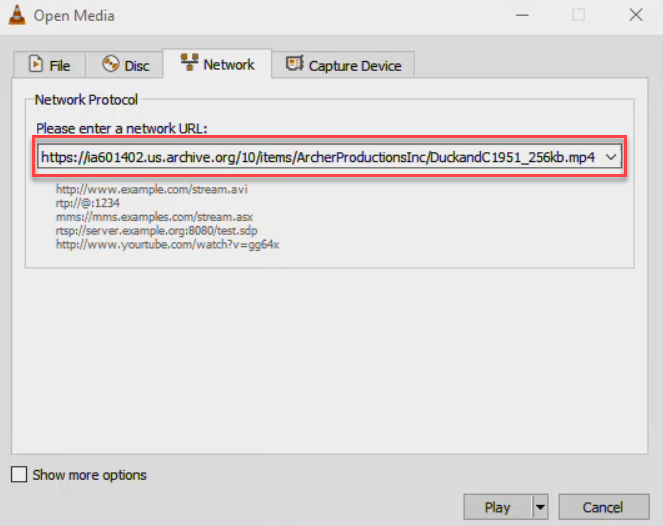
On desktop VLC, go to Media → Open Network Stream. The exact wording can vary slightly by platform.
Paste your compatible stream or playlist URL
Use the network/playlist address supplied for your IptvplanPro setup. Paste it into the Network URL field exactly as provided.
Press Play
VLC will attempt to open the stream. If the URL points to a compatible playlist, VLC can load its entries into the playlist view.
Choose a dedicated IPTV app if you want more organization
For channel groups, EPG, Movies and Series in a TV-style interface, use one of the dedicated IPTV players in our setup guide instead.
When VLC is the right choice
VLC is useful for quick testing or simple playback. It is not the best choice for customers who want a polished TV guide, categories and VOD browsing, so a dedicated IPTV player may be easier for everyday use.