
IPTV Smarters Pro Setup
Connect IptvplanPro to IPTV Smarters Pro
Smarters Pro gives you a familiar login screen for your provider details. Add the Server URL, Username and Password supplied with IptvplanPro, save the profile and let the app load your Live TV, Movies and Series.
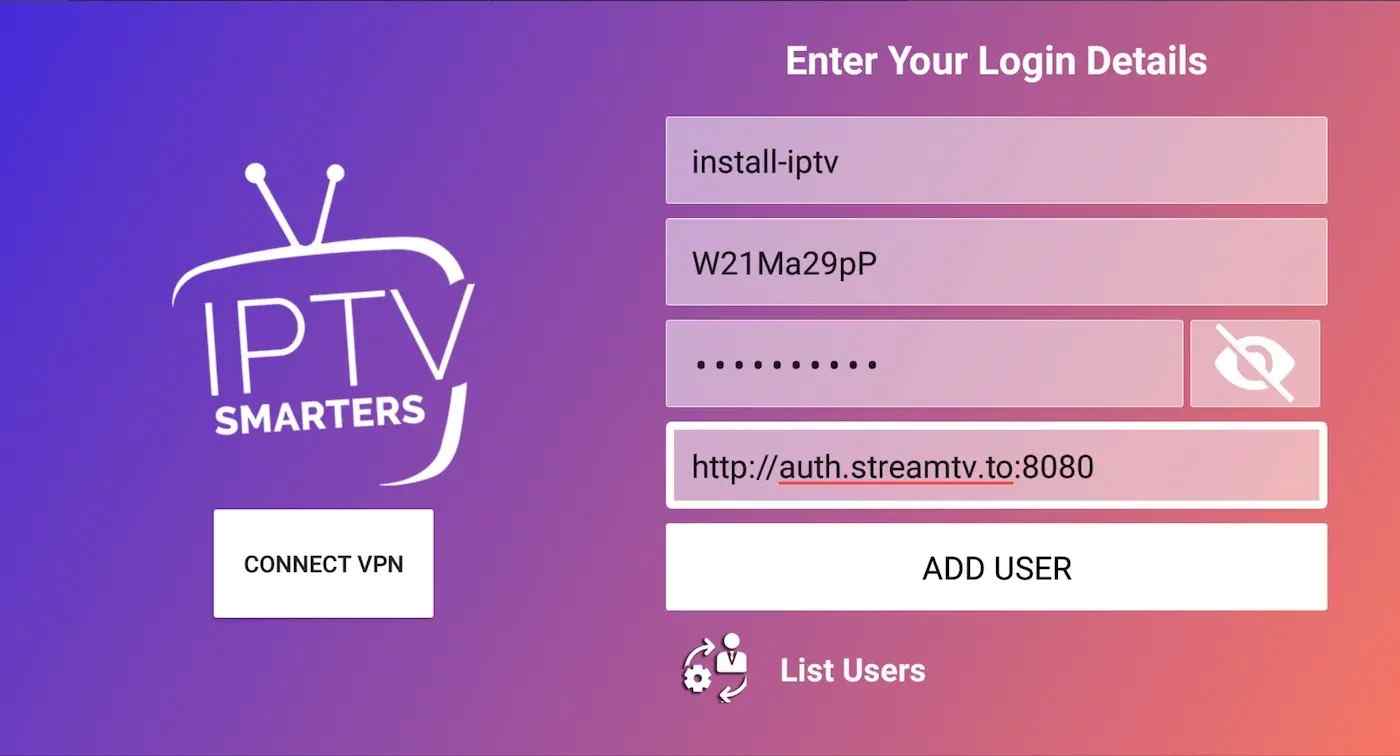
Simple provider login
A standard profile can use a name, username, password and server URL.
Works on many platforms
Availability depends on the device and store, but the login flow is similar across supported versions.
Player only
The app does not include IPTV content. Your IptvplanPro account supplies the access.
Step by step
Open Smarters Pro
Launch the app and choose the provider-login option supported by your version, commonly Login with Xtream Codes API.
Name your profile
In the “Any Name” field, enter a simple label such as IptvplanPro so you can recognize the account later.
Enter Username and Password
Copy both values exactly as supplied after activation. These fields are case-sensitive and should not contain extra spaces.
Paste the Server URL
Enter the full server address exactly as provided, including http/https and any port if one is included.
Tap Add User / Login
The app will connect and load the available categories. Wait for the first synchronization to finish before opening Live TV, Movies or Series.
If you see “invalid details”
Recheck the complete Server URL first, then the username and password. Copy/paste is safer than manual typing. If the same details work elsewhere but not in this app, restart Smarters Pro and try the profile again.